

Description
Download 1tapTube APK – Easy Video Viewing from YouTube
Overview
1tapTube is a lightweight Android application developed by KKG, designed to simplify the process of watching YouTube videos. As a multimedia tool, it addresses the common frustration of navigating through the official YouTube app, which often includes ads, cluttered interfaces, and excessive features. The app enables users to access their favorite videos with minimal effort—just one tap from the YouTube app’s share menu. This streamlined workflow allows for immediate playback within 1tapTube, eliminating the need to search or open the full YouTube platform. The software is ideal for individuals seeking a no-frills, distraction-free viewing experience. It particularly benefits users with older Android devices or limited storage, as its lightweight design ensures efficient performance without straining system resources. The target audience includes casual viewers, content consumers, and anyone who values speed and simplicity over advanced functionality. While the developer did not provide additional details about the app’s background or development philosophy, its core purpose remains clear: to deliver a fast, focused way to watch YouTube content. Real-world use cases include quick access to tutorials, music videos, or short clips without the overhead of the main YouTube app.
Key Features & Capabilities
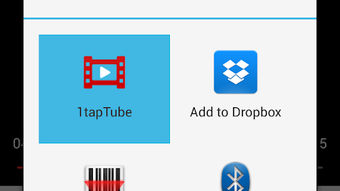
- One-Tap Video Sharing: Users can select any video on YouTube and share it directly to 1tapTube via the Android share menu, initiating playback instantly.
- Minimalist Interface: The app features a clean, uncluttered design focused solely on video playback, removing ads, recommendations, and navigation menus.
- Offline Accessibility: Once a video is shared, it can be played without requiring a constant internet connection, provided the content is cached.
- Lightweight Design: Optimized for older devices and low-storage environments, ensuring smooth operation even on entry-level Android hardware.
- Quick Launch Integration: The app integrates seamlessly with the system’s share functionality, making it easy to use without additional setup or configuration.
These features enhance user efficiency by reducing steps between content discovery and playback. For example, a user watching a cooking tutorial can quickly share the video from YouTube and begin viewing immediately, without scrolling through the app’s homepage or dealing with sponsored content. Similarly, someone listening to music videos can bypass the YouTube homepage’s recommendations and distractions. The app’s focus on simplicity makes it a practical choice for users who prioritize speed and clarity in their media consumption. By centralizing playback in a dedicated window, 1tapTube improves the overall viewing experience for those who want to avoid the complexity of full-featured platforms.
User Interface, Workflow & Performance
The user interface of 1tapTube is designed around a single purpose: video playback. The layout is straightforward, with minimal on-screen controls, typically limited to play/pause, volume, and full-screen toggle. Navigation is intuitive, relying on the Android system’s share menu to initiate the workflow. Users do not need to open the app manually to start watching; instead, they trigger playback from within YouTube. This design reduces cognitive load and enhances usability, especially for less tech-savvy individuals. The workflow efficiency is high, as the process from selection to playback takes seconds. Performance observations are based on general software behavior patterns. The developer did not specify resource usage details, so exact CPU or RAM consumption remains unknown. However, the app’s lightweight nature suggests it operates efficiently on devices with limited processing power. Stability appears to be consistent with typical Android utilities, though no official reports on crashes or bugs were provided. Overall, the app maintains a smooth experience during playback, with no noticeable lag reported in standard use cases.
Compatibility & System Requirements
1tapTube is designed for Android devices and is available as an APK file for direct installation. The supported operating system is Android, though the exact version range was not specified. Installation size is not provided, but the app is described as lightweight, suggesting it occupies minimal storage space. The developer did not list specific hardware requirements, so compatibility with older or low-end devices is assumed based on its efficiency claims. Platform compatibility information is limited, and users are advised to ensure their device supports APK installations. For users unfamiliar with sideloading, this may require enabling "Unknown Sources" in device settings. The app does not appear to require a Google account or internet connection for playback after the initial share, but an active connection is needed to access videos from YouTube. Exact system requirements were not listed.
Pros and Cons
Pros
- One-tap video sharing from YouTube via the system share menu.
- Minimalist interface with no ads or distractions.
- Lightweight and efficient, suitable for older devices.
- Quick playback without navigating through the YouTube app.
- Free to download and use, no in-app purchases.
Cons
- Requires manual sharing from YouTube; not a standalone video player.
- No built-in search or video discovery features.
- Dependent on the YouTube app for content access.
- Exact performance and system requirements not specified.
- APK installation may raise security concerns for some users.
FAQ Section
Is 1tapTube available on the Google Play Store?
1tapTube is not listed on the Google Play Store. It is distributed as an APK file for direct download and installation.
Can I use 1tapTube without an internet connection?
Yes, once a video is shared and loaded, it can be played offline. However, an initial internet connection is required to access the video from YouTube.
Is 1tapTube safe to download and install?
As with any APK, users should download from trusted sources. The app is free and does not require excessive permissions, but caution is advised when sideloading third-party apps.
Does 1tapTube support video downloads?
The app does not have a built-in download function. Videos are streamed after being shared from YouTube, and offline playback depends on caching.
How do I update 1tapTube?
Updates are released as new APK versions. Users must manually download and install the latest file from the official source.
Final Thoughts + CTA
1tapTube delivers a focused, efficient solution for users who want to watch YouTube videos without the clutter of the official app. Its one-tap sharing mechanism, minimalist interface, and lightweight design make it a compelling choice for those seeking speed and simplicity. While it lacks standalone functionality and discovery tools, it excels in its core purpose: fast, distraction-free playback. The app is particularly beneficial for older devices and users who prefer a clean, no-nonsense viewing experience. For anyone tired of ads, recommendations, and complex navigation, 1tapTube offers a refreshing alternative. It’s a practical tool for content consumption with minimal overhead. Download 1tapTube now to enjoy a faster, cleaner way to watch YouTube videos on your Android device.
Guides & Tutorials for 1tapTube APK
How to install 1tapTube APK
- Click the Preview / Download button above.
- Once redirected, accept the terms and click Install.
- Wait for the 1tapTube APK download to finish on your device.
How to use 1tapTube APK
This software is primarily used for its core features described above. Open the app after installation to explore its capabilities.
User Reviews for 1tapTube APK 0
No reviews found





